

Forget juggling overflowing inboxes or leaving contacts in limbo – cPanel autoresponders are your digital knights in shining armor, ready to conquer email chaos and enhance communication efficiency. So, buckle up, intrepid web warriors, as we embark on a quest to master the magic of automated replies!
What, pray tell, is an autoresponder? Imagine a loyal squire, automatically sending a pre-written message whenever an email arrives. Going on vacation? An autoresponder politely informs senders of your temporary absence, quelling frustration and preserving your digital zen.
But the applications extend far beyond vacations! Think email newsletters or “no-reply” accounts. A well-crafted autoresponse not only acknowledges receipt but also sets expectations, ensuring a smooth digital dialogue.
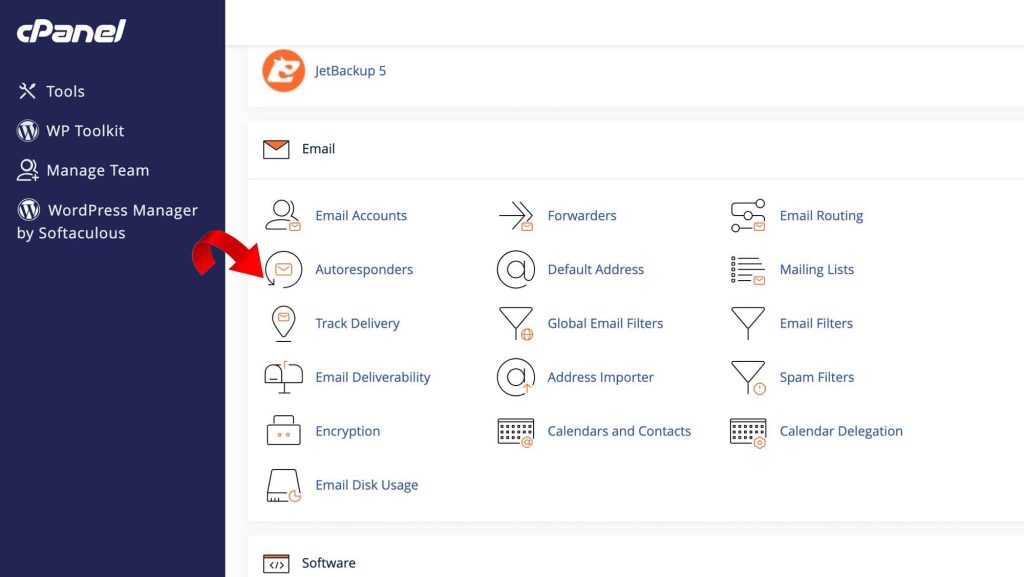
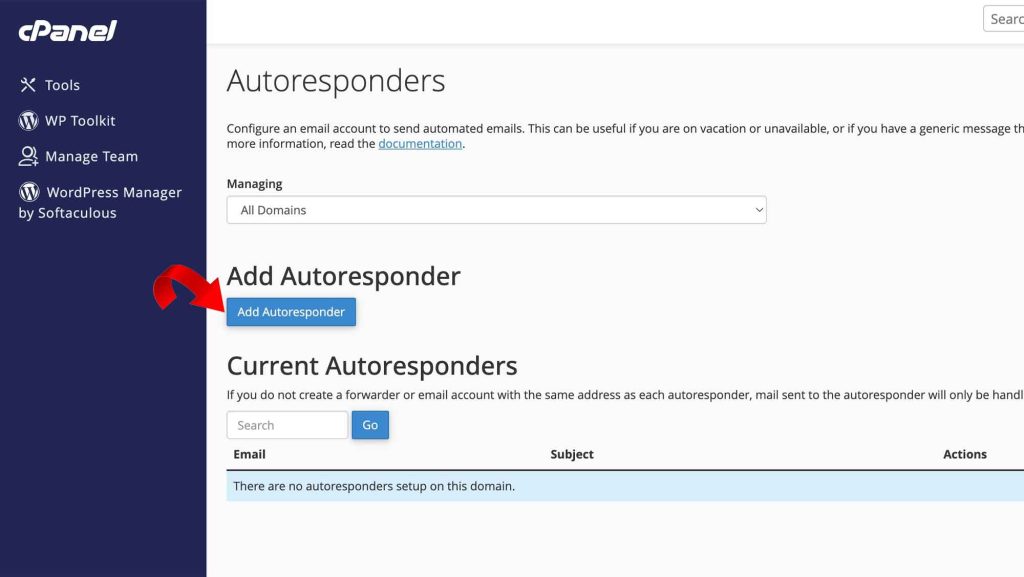
Now, let’s arm ourselves with knowledge! Within cPanel’s “Email” domain, locate the “Autoresponders” portal – your gateway to automated efficiency. Click “Add Autoresponder,” and prepare to configure your digital squire.
First, choose your character set, the digital alphabet your responses will speak. Unless you’re fluent in esoteric languages, stick with the default “utf-8.” Next, set the “Interval,” a crucial shield against email bombardment. Choose wisely, for frequent responses might turn your squire into a chatty gremlin!
Now, define your digital identity. Enter the email and domain sending the responses, crafting a sender persona that suits your purpose. Then, choose the “From” username, the name adorning your automated messages.
Time to craft the subject line, the first impression that hooks readers. Make it clear, concise, and relevant, a beacon guiding recipients through the digital sea.
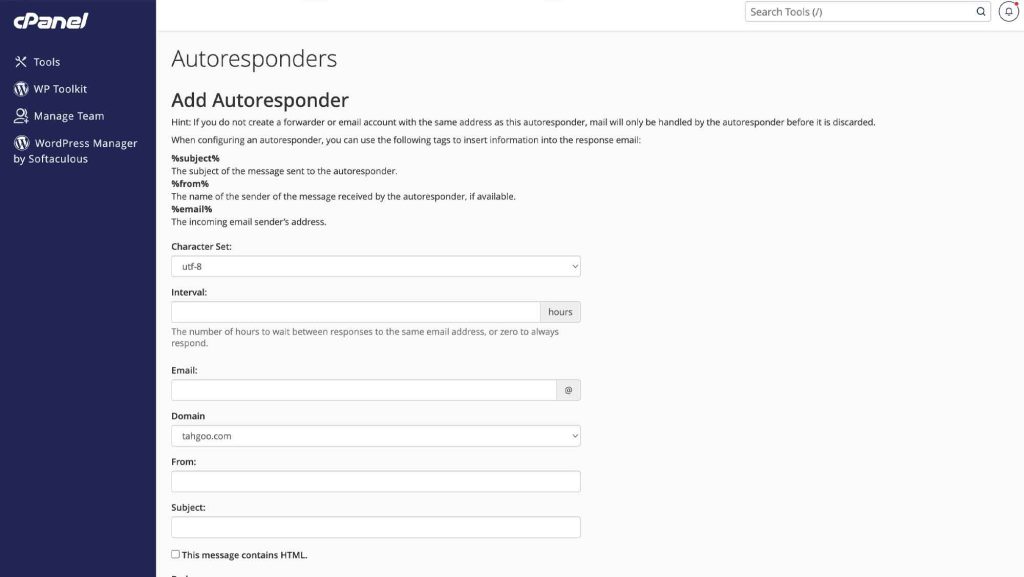
For those seeking visual flourish, check the “HTML” box. Unleash the power of formatting and imagery, transforming your responses from plain text to dazzling digital tapestries.
Now, onto the heart of the matter – the email body. Use dynamic variables like “%subject%” or “%email%” to personalize your message, adding a touch of warmth to your automated touch.
Finally, define your squire’s schedule. Choose “Immediately” for instant responses, or set a custom start and end date for a targeted campaign. With a click of the “Create/Modify” button, your digital guardian is live!
But what if your squire needs retirement? Simply click “Delete” on the autoresponder list, and its reign of automated replies will come to a peaceful end.
So, why embrace the magic of cPanel autoresponders? They offer a far superior alternative to email forwarding, ensuring seamless communication even when you’re basking on a sun-drenched beach. Moreover, they streamline workflows, enhance brand perception, and keep everyone informed, from loyal customers to curious colleagues.
By mastering cPanel autoresponders, you wield a powerful tool for conquering email chaos and transforming your digital communication into a symphony of efficiency and clarity. So, take a deep breath, dive into the world of automated replies, and let your inbox bask in the peace of a well-managed digital domain!