
Fortifying Your Digital Stronghold: Securely Changing Your Webmail Password
Maintaining data security is paramount in today’s digital landscape, and the first line of defense for your email lies in a robust password. Whether you’re a seasoned professional or a digital newcomer, regularly updating your Webmail password is a crucial step in safeguarding your online communication and identity. This guide will equip you with the knowledge and tools to navigate this process with ease and ensure your digital fortress remains impregnable.
via www.yoursite.com/webmail
Step 1: Locate the Security Portal
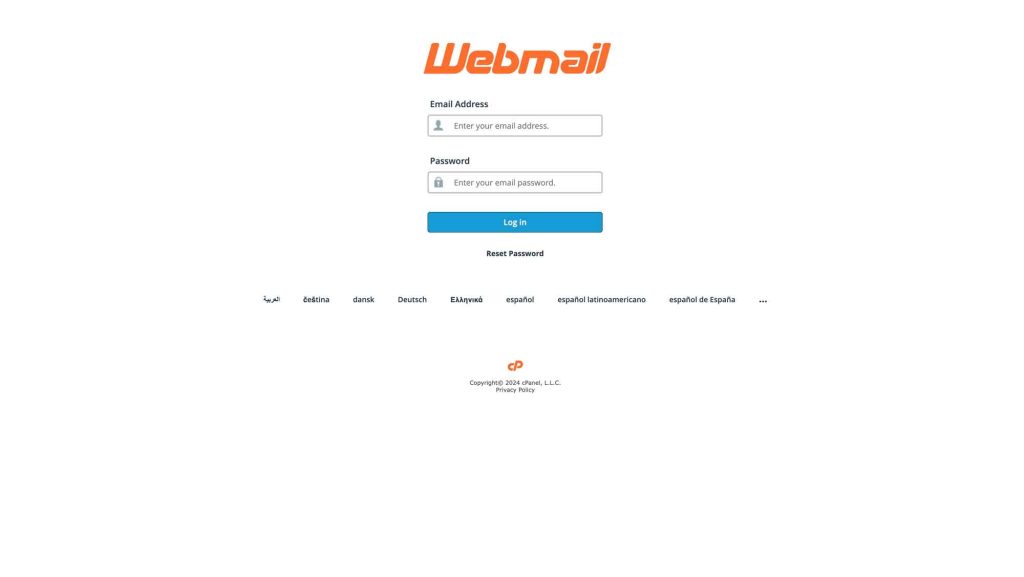
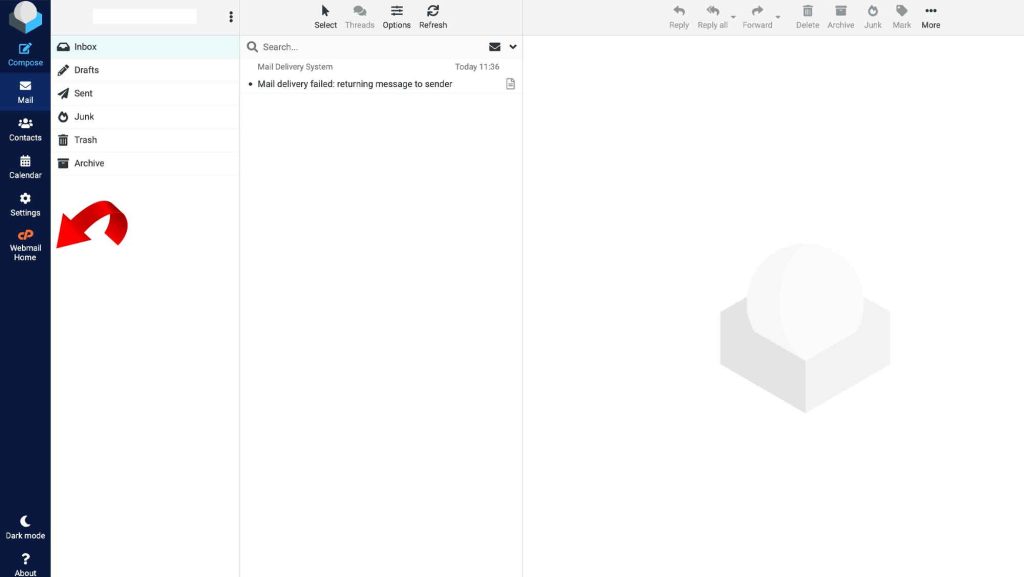
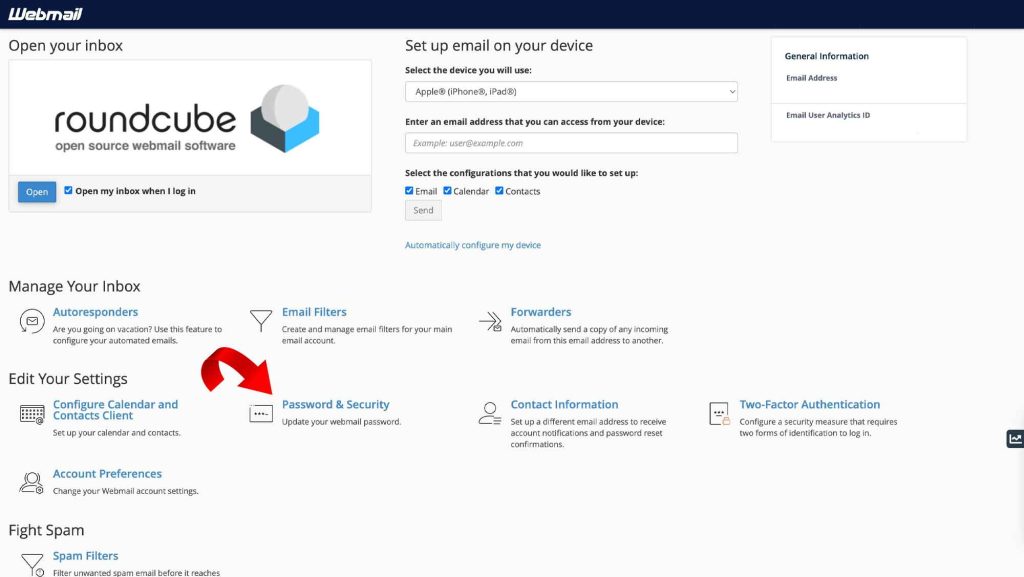
Begin by logging into your Webmail account. Once within your inbox, navigate to the Webmail Home menu, typically denoted by a ‘CP’ icon. Within the panel, locate the “Password and Security” section, your gateway to safeguarding your digital domain.
Step 2: Craft Your New Defense Mechanism
Now comes the heart of the operation: constructing a password that functions as a formidable digital shield. Aim for complexity, weaving together a tapestry of uppercase and lowercase letters, numbers, and special characters. The longer your password, the more impenetrable it becomes – eight characters is considered a minimum while striving for twelve or more adds another layer of security.
Step 3: Double-Check Your Fortifications
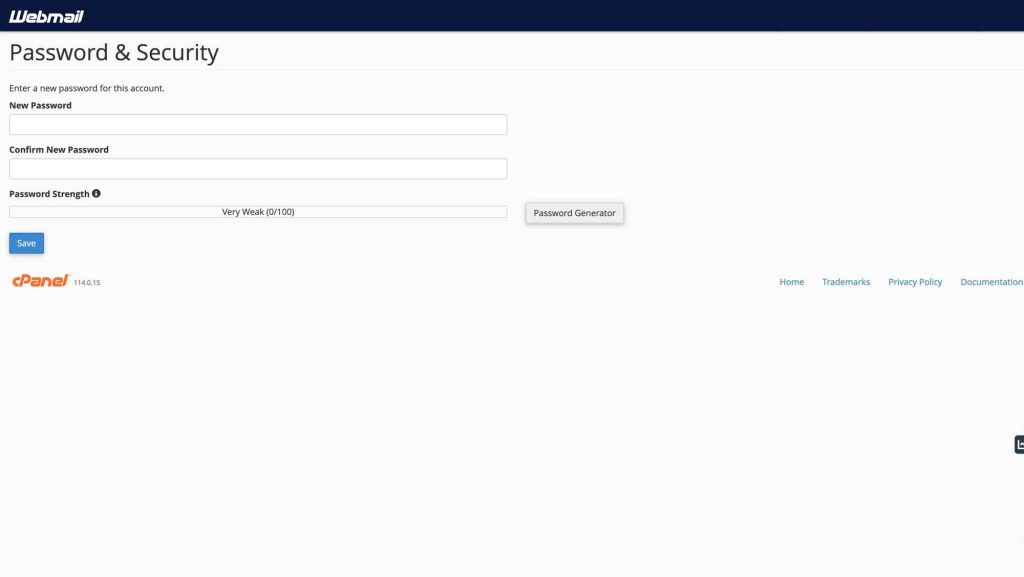
Once you’ve forged your new password, enter it into the “New Password” field. It’s crucial to repeat this process in the “Confirm New Password” field, ensuring perfect accuracy. This extra step serves as a final bastion against typos and other entry errors, guaranteeing the integrity of your digital defenses.
Step 4: Deploy the New Security Protocols
Click the “Save” button, and with a digital flourish, your new password is activated. Your Webmail sanctuary is now fortified, and shielded against unauthorized access and potential threats.
Step 5: Vigilance is Your Watchword
Remember, password security is an ongoing campaign. Schedule regular updates to your Webmail password, ideally every three to six months. Be wary of phishing attempts and suspicious emails, for these digital sirens often lure unsuspecting users into revealing their passwords. And as a golden rule, never share your password with anyone, regardless of their supposed affiliation.
By adhering to these guidelines, you can confidently navigate the digital landscape, knowing your Webmail account remains a secure haven for your communications and sensitive information. So, take charge of your online security, fortify your digital defenses, and enjoy the peace of mind that comes with a well-protected Webmail fortress.
May your digital domain remain forever secure!