


Introduction: Managing emails has evolved with various methods, including desktop clients like Microsoft Outlook, Mac Mail, and web-based options like Gmail, accessible from both computers and smartphones. Webmail, in particular, stands out as a versatile tool allowing users to send and receive emails directly through a web browser, eliminating the need for additional software setup.
Exploring Webmail: A Convenient Email Solution with Three Distinct Clients
Logging into Webmail
To access webmail, follow these simple steps:
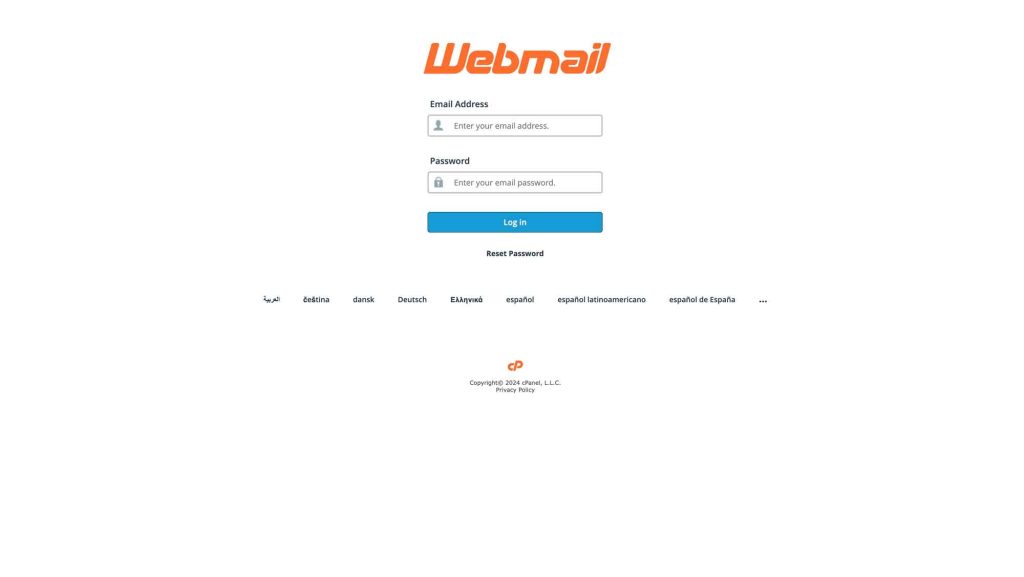
- Visit your domain’s webmail page (e.g., example.com/webmail).
- Enter your credentials (username and password), ensuring your username is your full email address in lowercase.
- Click OK, and you’re logged in!
Webmail Clients:
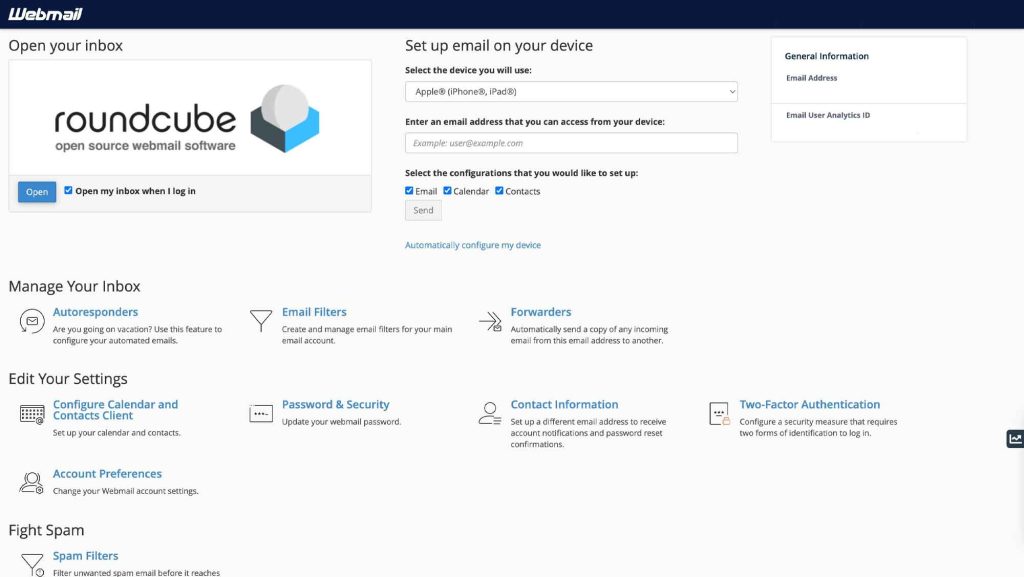
Upon logging in, you’ll encounter three webmail clients: Squirrel Mail, Horde, and Roundcube, each offering unique features and user experiences.
1. Squirrel Mail:
- Features limited functionality.
- Allows for quick reading and responding to emails.
2. Horde:
- Offers more functionality than Squirrel Mail.
- May experience occasional slowdowns due to increased features, creating a more bustling interface.
3. Roundcube:
- Recently introduced to cPanel.
- Strikes a balance between Squirrel Mail and Horde in terms of features.
- Presents a clean and modern interface, resembling desktop clients like Mac Mail or Outlook.