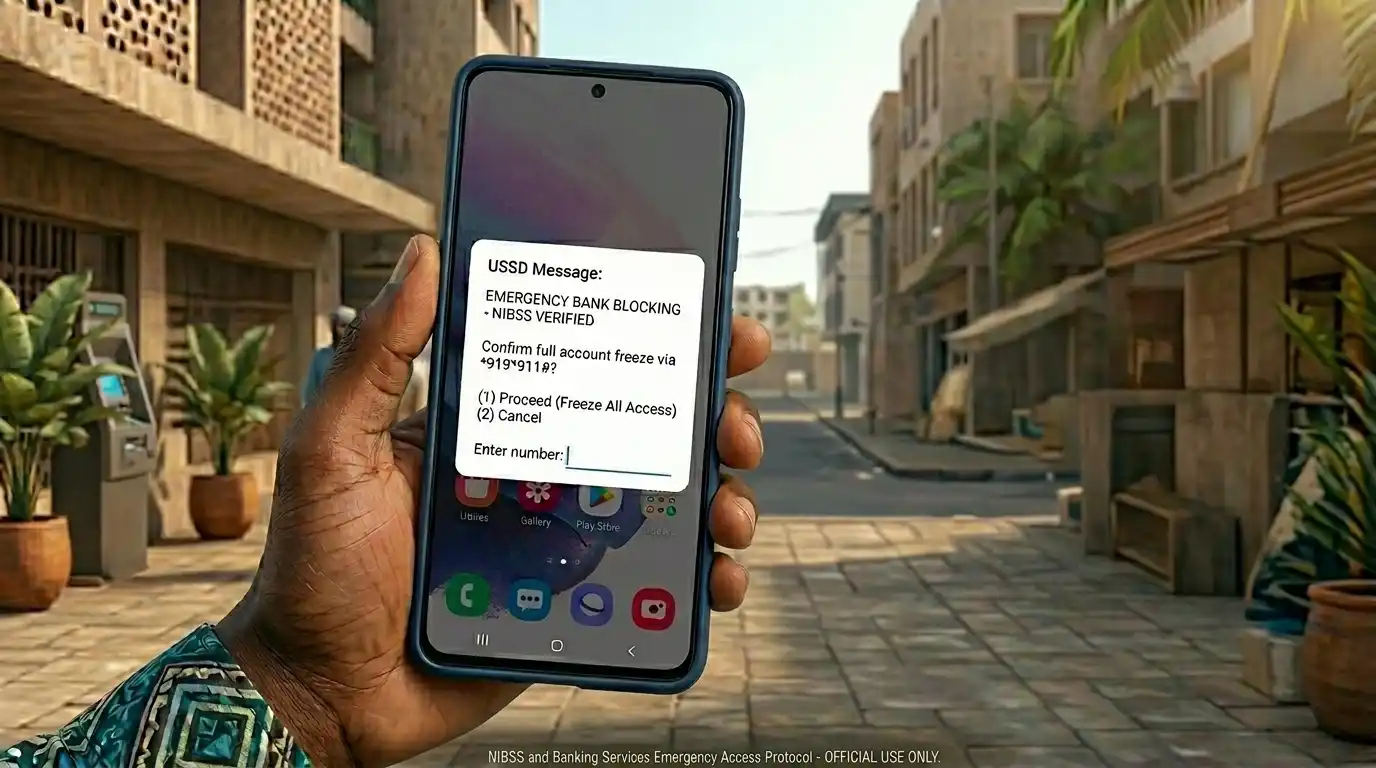

Phone theft, ATM fraud, and SIM swap scams have become increasingly common across Nigeria. When these incidents happen, fast action can prevent major financial losses. Nigerian bank card blocking USSD codes now allow customers to freeze cards and protect accounts within minutes, even without internet access.
According to reports from the Nigeria Inter-Bank Settlement System and the Central Bank of Nigeria, digital banking fraud attempts continue to rise as mobile banking adoption grows nationwide. Many fraud victims lose money simply because they do not know how to block their accounts quickly enough.
Banks have responded by creating emergency USSD banking features that work on nearly all mobile phones. These services help customers block cards, restrict transfers, and secure accounts immediately after suspicious activity or theft.
Understanding how these emergency codes work can make the difference between a minor inconvenience and a serious financial loss.
Table of Contents
Why Every Nigerian Bank User Should Know Emergency USSD Codes
Emergency banking USSD codes provide one of the fastest ways to secure a compromised account in Nigeria.
Many Nigerians carry both their ATM cards and smartphones together. When thieves steal a phone or wallet, they often gain access to sensitive banking information, SIM-linked accounts, and mobile alerts. In those situations, immediate action becomes critical.
Internet banking apps may not always help during emergencies because users may lose access to data, battery power, or authentication devices. USSD banking works differently because it requires only GSM network access.
Several reasons explain why these emergency codes matter:
- They work without internet
- They function on simple mobile phones
- Most banks support 24/7 emergency blocking
- They reduce fraud exposure quickly
- They help during SIM theft incidents
- They provide fast self-service security
The speed advantage is especially important in Nigeria’s fast-moving digital banking environment. Fraudsters often attempt transfers immediately after stealing phones or cards.
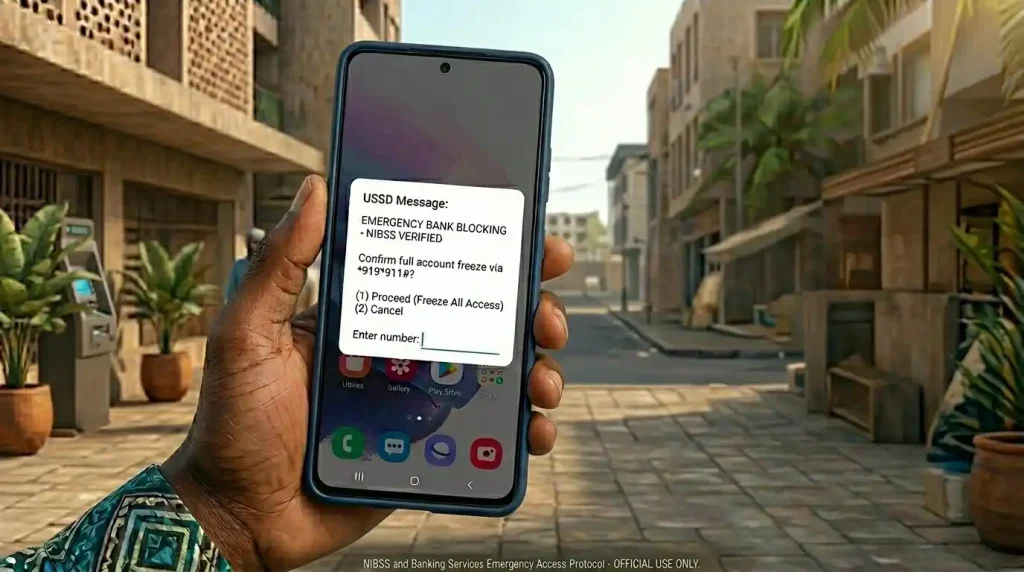
Learning these codes before emergencies happen is far safer than searching online under pressure.
Complete Nigerian Bank Card Blocking USSD Codes
Here are the Nigerian bank card/account blocking USSD codes verified from official bank sources and updated references for 2026.
| Bank | Official USSD Blocking Code | Notes |
|---|---|---|
| Access Bank | *901*911# | Blocks account instantly |
| First Bank of Nigeria | *894*911# | Deactivates USSD/mobile number; card block via *894# menu → Card Control |
| Guaranty Trust Bank (GTBank) | 73751*74# or *737*911# | Widely used emergency account blocking code |
| United Bank for Africa (UBA) | *919*9# or *919*911# | Freeze account/security option |
| Zenith Bank | *966*911# | Emergency account blocking |
| Wema Bank | *945*911# | ALAT/Wema emergency block |
| FCMB | *329*911# | Emergency account/card block |
| Fidelity Bank | *770*911# | Card/account blocking |
| Ecobank Nigeria | *326*911# | Security block feature |
| Sterling Bank | *822*911# | Instant block service |
| Union Bank Nigeria | *826*911# | Emergency account protection |
| Polaris Bank | *833*911# | Card/account block |
| Keystone Bank | *7111*911# | Emergency blocking |
| Stanbic IBTC Bank | *909*911# | Fraud protection block |
| Unity Bank | *7799*911# | Emergency account block |
| Jaiz Bank | *389*301*911# | Security blocking |
| TAJBank | *898*911# | Emergency account freeze |
| Titan Trust Bank | *922*911# | Account blocking |
What These Codes Can Do
Most emergency banking codes support:
- ATM card blocking
- Account freezing
- Mobile banking restriction
- USSD deactivation
- Transfer suspension
- Fraud prevention requests
Important Verification Reminder
Banking security codes occasionally change due to platform updates or security improvements.
Customers should verify official codes through:
- Official bank websites
- Customer care numbers
- Verified banking apps
- Official social media pages
Avoid using random screenshots or forwarded WhatsApp messages claiming to contain updated banking information.
How Nigerian Bank Card Blocking USSD Codes Work
Nigerian bank card blocking USSD codes work by connecting your mobile number to your bank’s emergency security system.
When a customer dials the emergency code, the banking platform verifies the registered phone number and requests confirmation details. Once verified, the system immediately restricts card usage or account activity.
This process is designed for speed because fraud cases often escalate within minutes after theft.
The Emergency Blocking Process
The typical process works like this:
- Dial the official emergency code
- Select account or card blocking
- Confirm identity details
- Receive transaction confirmation
- Contact customer care if needed
Many banks now allow users to block accounts from alternative phone numbers if the registered SIM has been stolen.
What Happens After Blocking
Once blocked:
- ATM withdrawals stop
- POS transactions fail
- Mobile transfers may freeze
- Online card payments stop
- Fraud exposure reduces significantly
However, customers still need to contact their banks afterwards to restore services or replace cards securely.
How Do I Block My ATM Card With USSD?
You can block your Nigerian ATM card with USSD by dialling your bank’s official emergency code from your registered phone number and following the security prompts. Most Nigerian banks allow instant card blocking within minutes, helping customers stop unauthorised withdrawals, transfers, and POS payments immediately after theft or suspicious activity.
Quick Steps to Block Your ATM Card
- Dial your bank’s emergency USSD code
- Select “Block ATM Card” or similar option
- Enter verification details if required
- Confirm the request
- Wait for the confirmation SMS
This process works even without internet access, which makes it extremely useful during emergencies.
Why Speed Matters
Fraudsters often act quickly after stealing phones or cards. Delays increase the risk of:
- Unauthorised transfers
- POS fraud
- Online purchases
- SIM swap attacks
Fast response significantly improves account security outcomes.
When to Contact Customer Support
USSD blocking helps immediately, but users should still contact their banks afterward for:
- Card replacement
- SIM unlinking
- Account recovery
- Fraud investigation
- Transaction review
What to Do After Blocking Your Card or Account
Blocking your account is only the first step in securing your finances after theft or suspicious activity.
Many Nigerians mistakenly assume blocking alone completely solves the problem. However, fraudsters may still attempt SIM swap requests, identity theft, or social engineering attacks afterward.
Immediate Actions to Take
After blocking:
- Contact your bank officially
- Request account monitoring
- Replace compromised cards
- Change mobile banking passwords
- Secure email accounts linked to banking
SIM Security Matters Too
If your phone was stolen, contact your telecom provider immediately.
SIM theft creates additional risks because fraudsters may:
- Receive banking OTPs
- Access SMS alerts
- Attempt account recovery
- Reset mobile banking credentials
Nigerian banks increasingly rely on phone-based authentication, so SIM protection is critical.
Common Fraud Scenarios in Nigeria
Banking fraud in Nigeria has evolved alongside mobile banking technology.
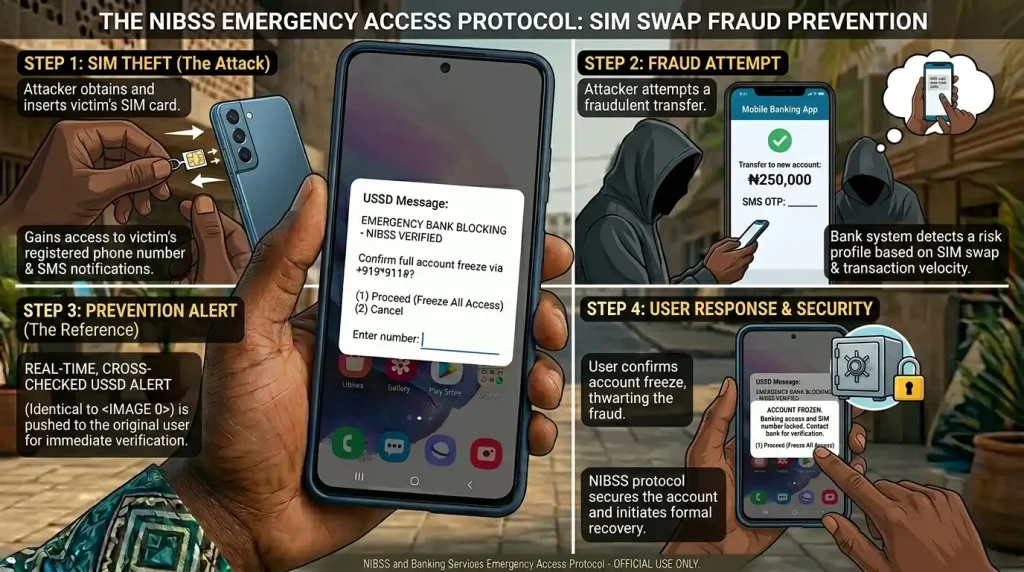
One common scam involves fake customer care agents contacting victims shortly after suspicious transactions occur. These fraudsters pretend to help while secretly attempting to collect OTPs or PINs.
Another growing threat is SIM swap fraud. Criminals convince telecom agents to issue replacement SIM cards linked to victims’ phone numbers.
Other Common Threats
- Fake banking apps
- Phishing SMS messages
- Public Wi-Fi interception
- ATM skimming
- Fake POS operators
- Identity impersonation
Why Awareness Matters
Fraud prevention depends heavily on awareness and speed.
Customers who understand common fraud patterns react faster during emergencies and are less likely to reveal confidential details.
Education remains one of the strongest security tools available to Nigerian banking users.
Pro Tips to Secure Your Nigerian Bank Account
Always separate your ATM card from your primary smartphone whenever possible. Many Nigerians keep both together, which increases fraud risk during theft incidents.
Another smart habit is reducing transaction limits when large transfers are unnecessary. Smaller limits reduce potential damage if criminals gain temporary access.
Enable SMS and email alerts on all banking accounts. Although alerts may involve small charges, they provide early fraud detection that can prevent major financial losses.
Regularly update your mobile banking passwords and avoid using predictable combinations such as birthdays or repeated digits.
It is also wise to memorise at least one emergency banking code instead of depending entirely on internet searches during stressful situations.
Common Mistakes to Avoid with Nigerian Bank Card Blocking USSD Codes
Waiting Too Long Before Blocking
Many fraud victims delay action because they hope to recover stolen phones or wallets first.
This hesitation can lead to unauthorised withdrawals and transfers. Emergency blocking should happen immediately after suspicious activity or theft.
Sharing Banking Details With Fake Agents
Fraudsters often impersonate bank employees during emergencies.
Banks never request confidential PINs or OTP codes through random phone calls or SMS messages.
Ignoring SIM Replacement Risks
Some users block cards but forget their SIM cards remain vulnerable.
Fraudsters can still exploit compromised phone numbers for account recovery attempts.
Using Unverified Banking Codes
Random social media posts often contain outdated or fake emergency banking codes.
Always confirm codes through official bank communication channels.
Best Tools for Nigerian Banking Security
Official Mobile Banking Apps
Most Nigerian banks provide official apps with advanced security settings.
These apps support:
- Fingerprint login
- Card freezing
- Transfer restrictions
- Instant alerts
Most are free for Nigerian users.
Password Managers
Tools like Bitwarden and 1Password help users store strong passwords securely.
Pricing:
- Bitwarden: Free/freemium
- 1Password: Paid subscription
SIM Lock Features
Most Android and iPhone devices support SIM locks and security PINs.
These free features add protection against unauthorised SIM usage after theft.
Banking Alert Services
SMS and email alert services improve transaction visibility.
These services remain valuable even when internet access becomes unstable.
FAQ – Nigerian Bank Card Blocking USSD Codes
Are Nigerian bank card blocking USSD codes free?
Most banks do not charge major fees for emergency account blocking, although standard USSD session charges from telecom providers may still apply.
Can I use another phone to block my Nigerian bank account?
Some banks support emergency blocking from alternative phone numbers after identity verification, but policies vary by bank.
Do Nigerian bank card blocking USSD codes stop online transactions?
Yes. Most emergency card blocks disable ATM withdrawals, POS usage, and online card payments immediately after activation.
What happens after I block my ATM card?
Your card becomes inactive, preventing further transactions. Customers usually need replacement cards or verification before reactivation.
Can I block my Nigerian bank account without internet?
Yes. Nigerian bank card blocking USSD codes work without internet because they operate through GSM networks. Customers can block cards and accounts using simple mobile phones during emergencies.
Which Nigerian banks allow USSD card blocking?
Most major Nigerian banks including GTBank, Access Bank, UBA, Zenith Bank, and First Bank support emergency USSD blocking services for cards and accounts.
Can I unblock my ATM card with USSD?
Some banks allow temporary unblocking through USSD or mobile apps, while others require customer care or branch verification for security reasons.
What should I do if my registered SIM card is stolen?
Immediately block your bank account, contact your telecom provider, and notify your bank. SIM theft increases fraud risks because OTP messages and banking alerts may become exposed.
Are Nigerian bank card blocking USSD codes safe?
Yes, provided customers use official banking codes and avoid sharing confidential information with unknown individuals.
Nigerian bank card blocking USSD codes have become essential emergency tools for modern banking security. As mobile banking adoption continues growing, customers need fast ways to protect their money during theft, fraud attempts, or suspicious account activity.
The biggest advantage of these codes is accessibility. They work without internet, support feature phones, and provide immediate protection during stressful situations. However, emergency blocking works best when combined with strong password habits, SIM security, and fraud awareness.
Keeping official banking security codes saved safely can prevent panic during emergencies and significantly reduce financial losses.
For more Nigerian fintech and banking guides, visit BLOOG.NG and explore additional resources on digital banking, online safety, and mobile finance trends. Share your experiences or security tips in the comments section to help other readers stay protected.